Skip to content

Case studyHealthcare

Healthcare is a household job.

Marham connects patients with doctors, pharmacies, labs and other medical services. I designed for both sides: the people booking care for themselves and their families, and the doctors running their practice.

Illustration: a woman wrapped in a blanket on her sofa talks to a doctor on a video call from her laptop.
My role
Product designer, from concept through delivery and user acceptance testing
Platform
Patient app, website, and a practice management system for doctors
My part
  • Patient onboarding
  • Friends & Family
  • Consultation queue (contributed)
  • Doctor's PMS
The approach

Every team at the table, before any decision.

Every change to how patients book, pay or get care lands on more than one team. So the people who would live with a decision were part of it before it was made, not told about it afterwards.

The teams brought in before product decisions were taken.
Feature · Onboarding

Asking millions of people about their health, without losing them.

The app was already used by millions. Onboarding had to collect patient details so Marham could make care more relevant, without adding a single reason to drop off. So the rule was simple: nobody should have to finish it.

How we kept it light

  • Skip, at any point. Every step has Skip in the corner, and the welcome cards offer a quick way into the app.
  • Everything in the thumb zone, with big buttons at the bottom of the screen.
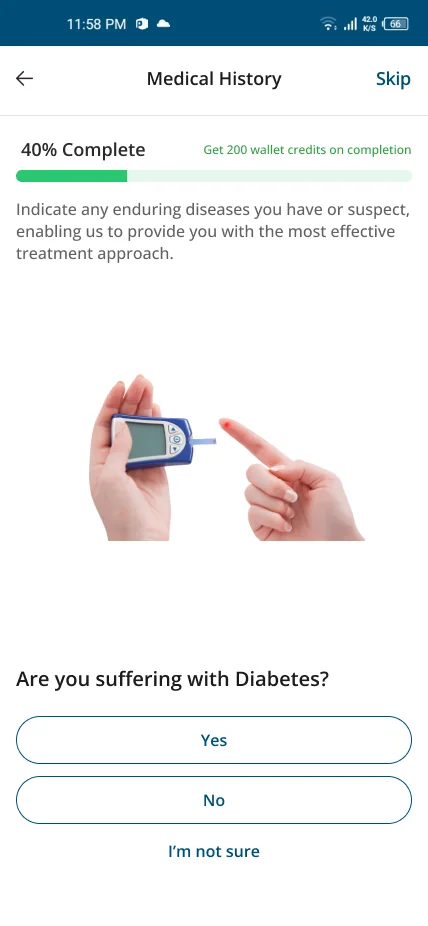
  • Short answers. Health questions are Yes, No or “I'm not sure”; personal details are optional.
  • Cards, not forms, with a wallet-credit reward for finishing.

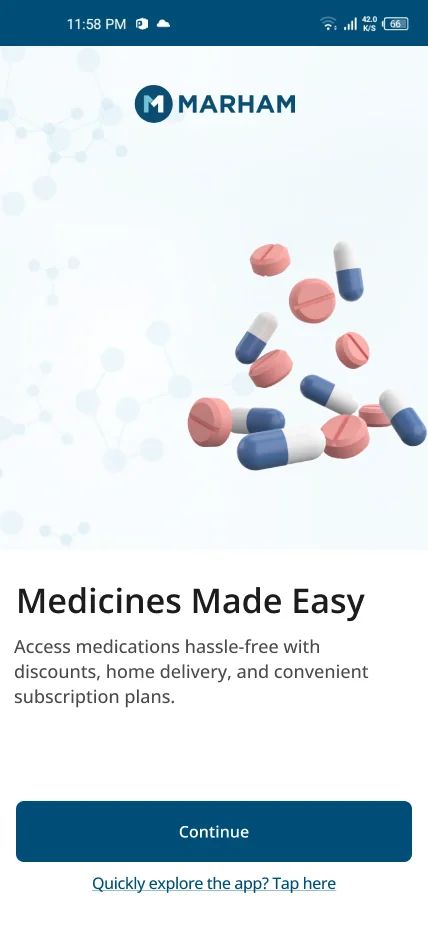
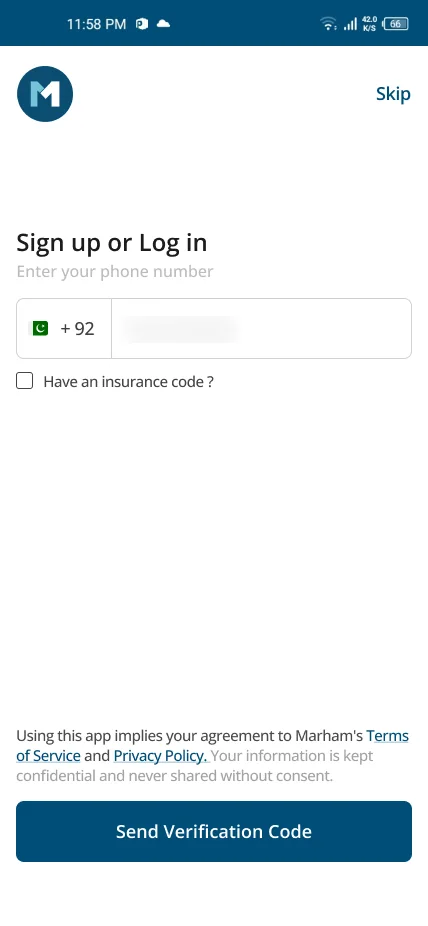
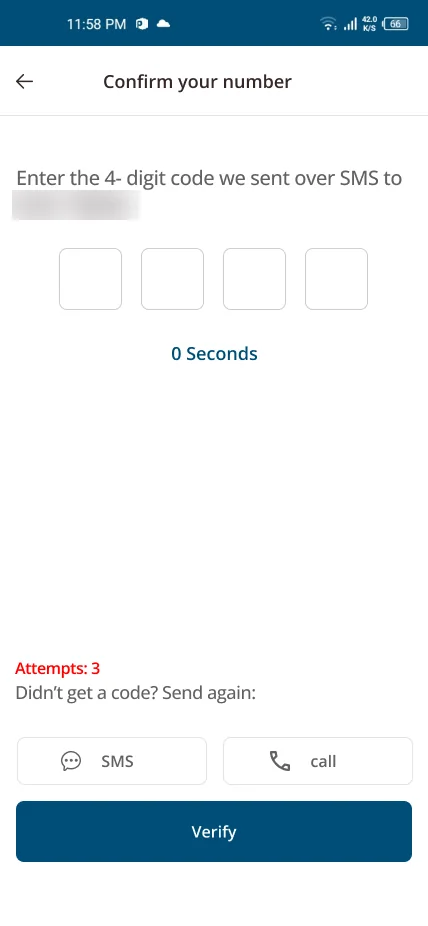
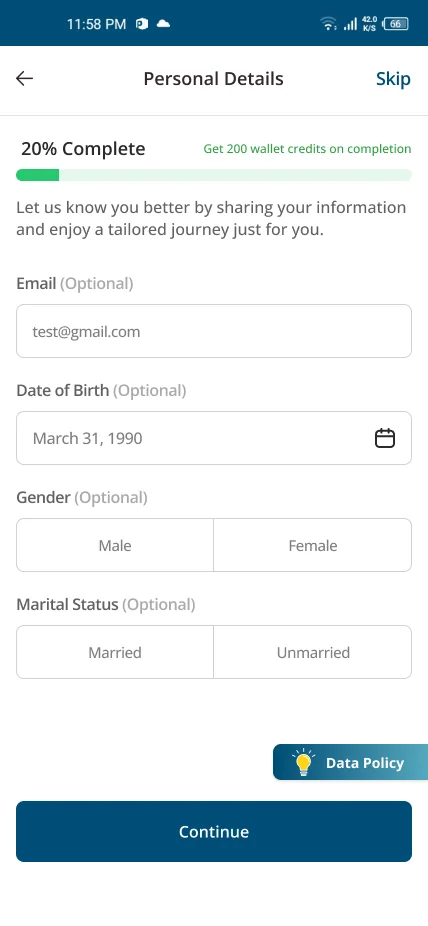
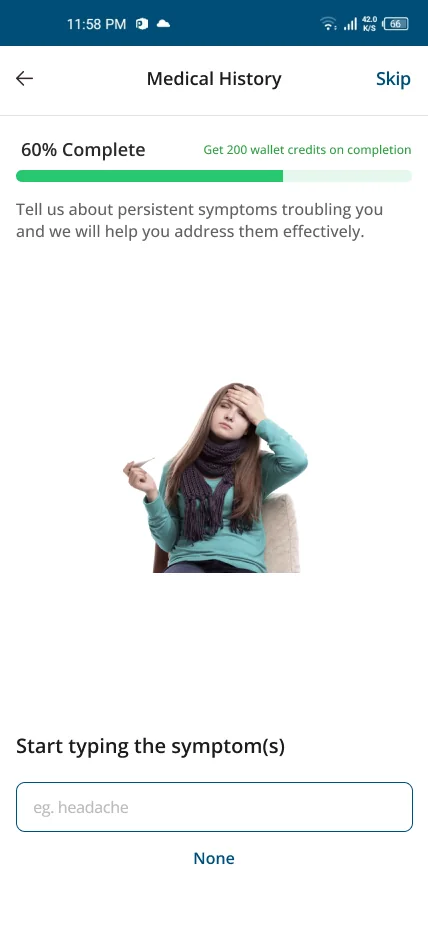
Welcome card: Lab Tests Discounts.Welcome card: Medicines Made Easy.Welcome card: Weight Loss Clinic.Sign up or log in with a phone number; the number is blurred.Confirm your number with a four-digit code.Personal details, all optional, with 200 wallet credits for finishing.Are you suffering with diabetes? Yes, No or I am not sure.Tell us about persistent symptoms, or tap None.
The whole onboarding, playing on its own: welcome cards, sign up, a few optional questions, then the reward.
Feature · Friends & Family

Booking for the people you care for.

People book for a parent, a child or a friend far more often than a booking app assumes. Friends & Family makes that the normal case, not a workaround, and it's live in the Marham app.
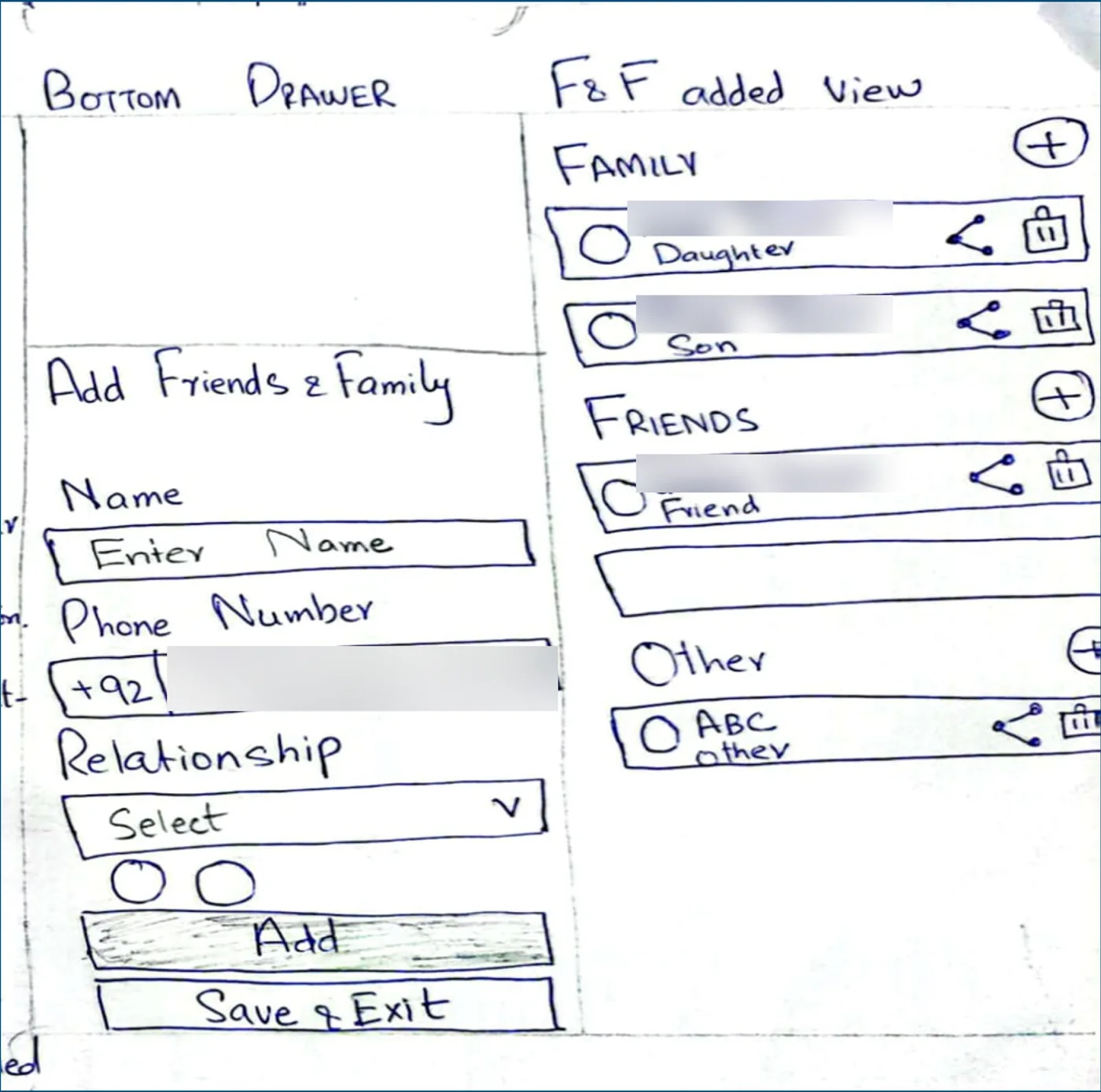
A pen sketch on paper: a bottom drawer to Add Friends and Family with name, phone number, relationship, Add and Save and Exit; and an F and F added view grouping people under Family, Friends and Other, each with share and delete icons. Names and the phone number are blurred.

First, on paper.

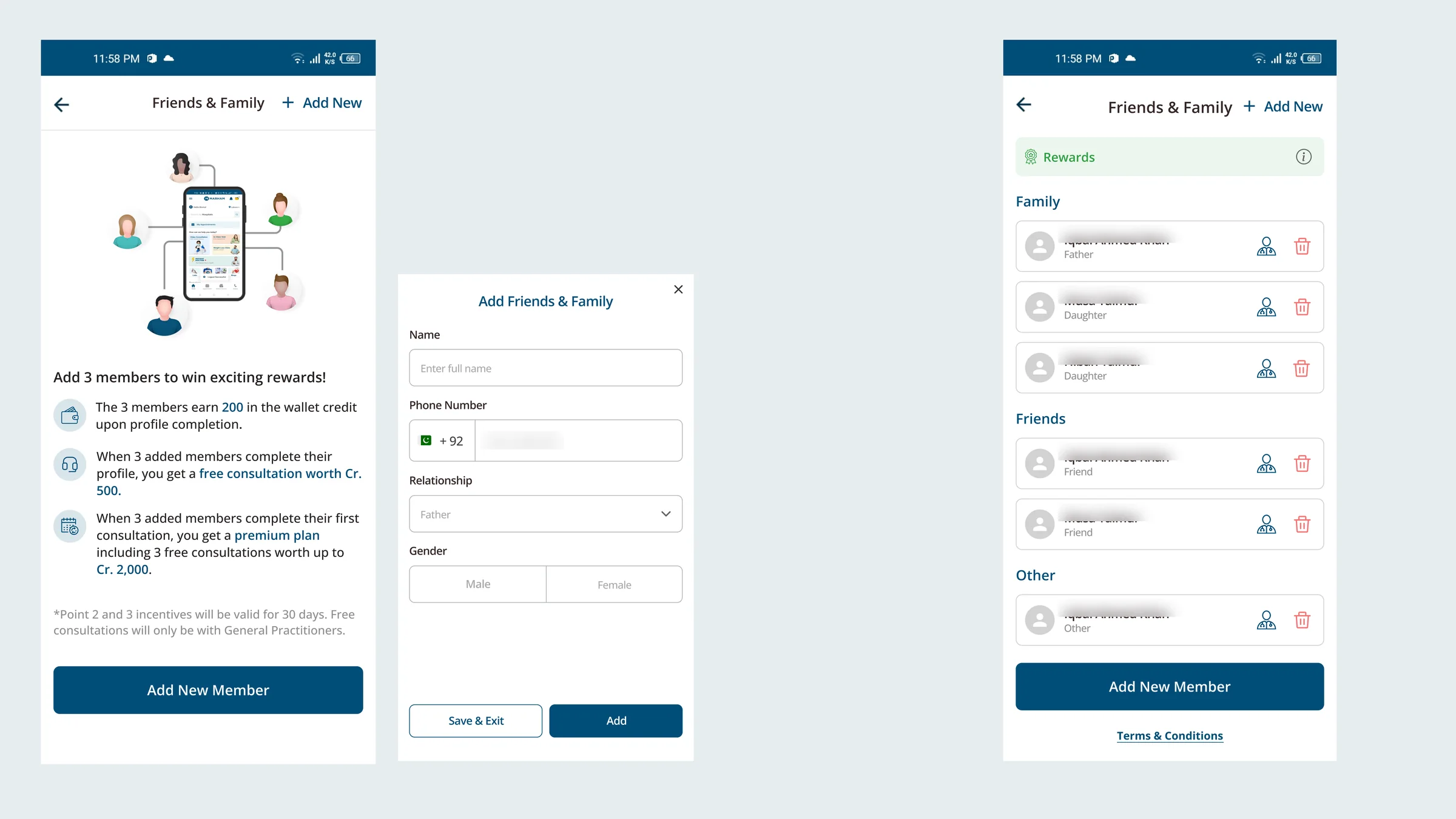
Three finished screens. Friends and Family intro: Add 3 members to win exciting rewards, with the reward rules. The Add Friends and Family drawer: name, phone number, relationship, gender, Save and Exit, Add. The list of members under Family, Friends and Other, with a Rewards banner. Member names are blurred.

Then the finished screens: the same drawer, the same grouping.

What it lets people do

  • Add friends and family to their account.
  • Book consultations on their behalf.
  • Follow up on prescriptions and order medicines.
  • Share a circle of doctors for easy bookings and referrals.
  • Earn rewards when the people they add complete consultations.

My Doctors

Save a doctor once, then book them for yourself or anyone in your circle, and recommend them to friends and family.
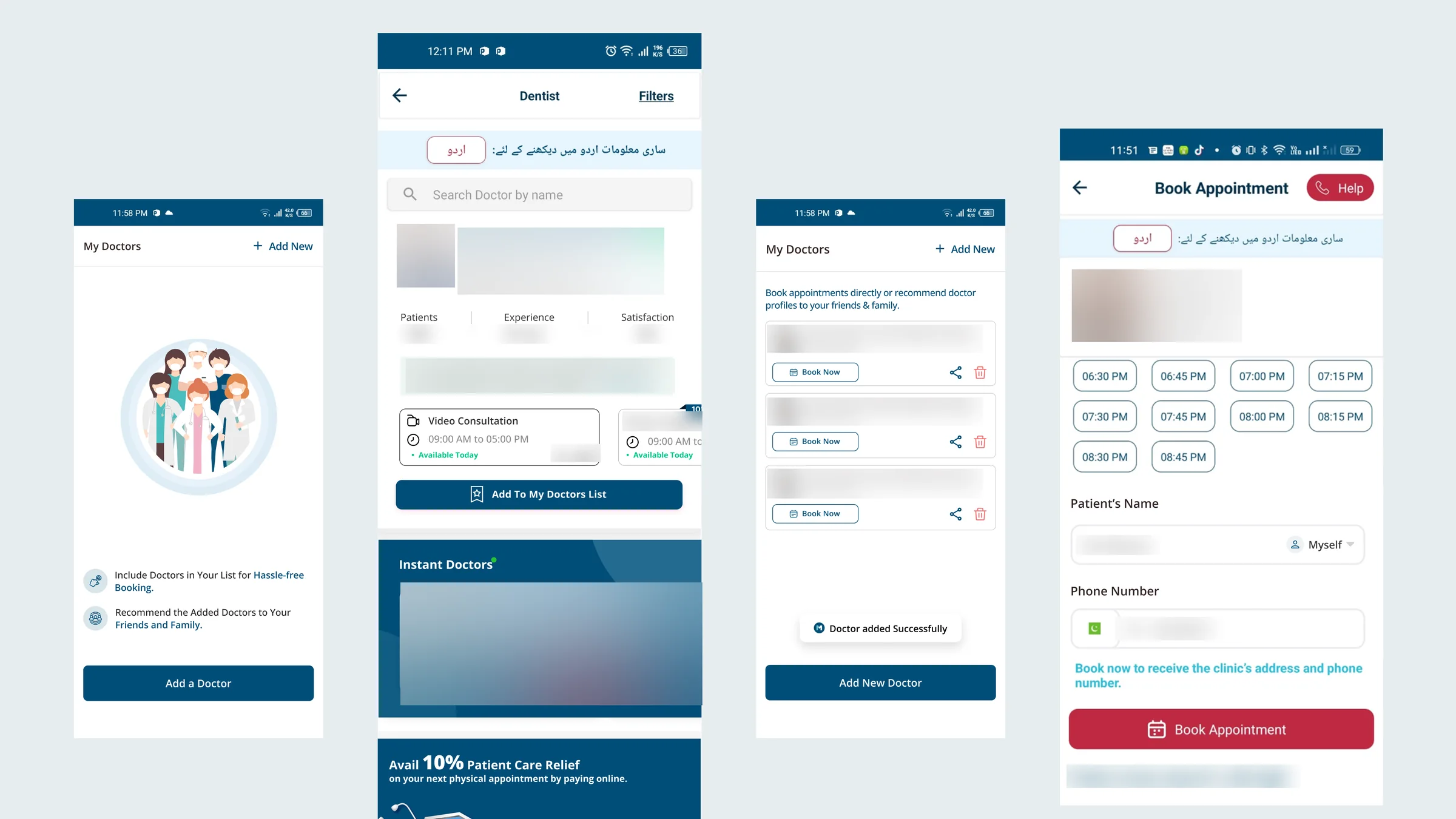
Four My Doctors screens: an empty state inviting you to add a doctor for hassle-free booking and to recommend them to friends and family; a doctor profile with Add To My Doctors List; the My Doctors list with Book Now, share and delete on each doctor; and Book Appointment with Patient's Name set to Myself. Doctor names, photos, fees, ratings, the patient's name and the phone number are blurred.
My Doctors, from an empty state to booking for someone in your circle.
Feature · The consultation queue

A few doctors, a lot of patients, and nobody left waiting.

Instant consultations were answered by a small team of in-house doctors, and many patients could call at once. So we designed what happens around them: a place in the queue, an estimated wait, a call back, a general practitioner if your doctor isn't free, and an honest message when the queue is full.

I contributed to this flow.

Feature · The doctor's PMS

One record for every patient, wherever the doctor sees them.

Doctors' patients were spread across hospitals, clinics and online consultations, and so were their records. I started by interviewing doctors directly about managing patients across places and the pain points of online portals.

The offer that made it worth switching

The PMS is free for a doctor's own patients, with a share only on patients Marham refers. In return, doctors manage, and keep the data of, every patient from every facility in one place.
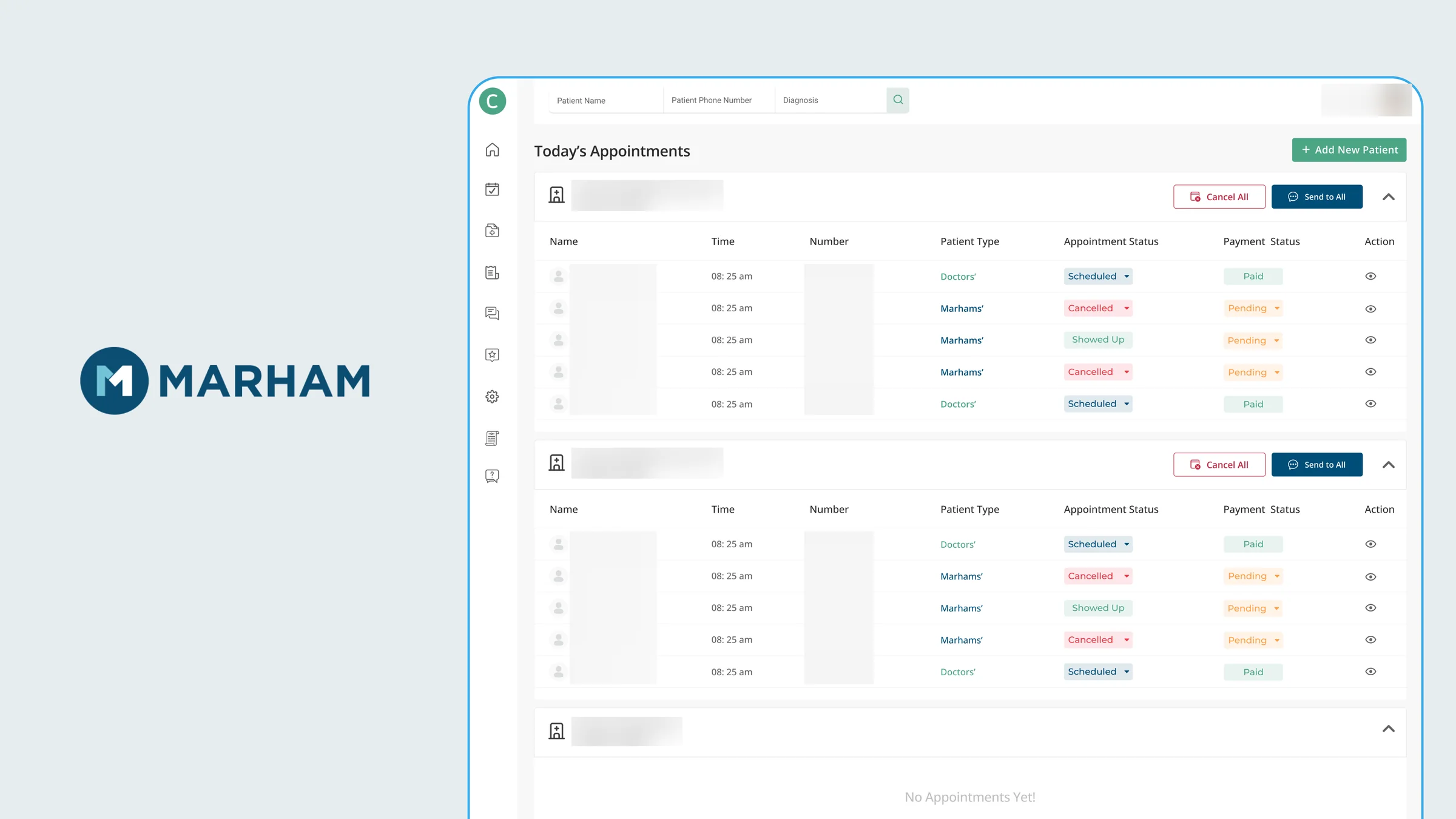
The Marham logo beside the PMS Today's Appointments screen: appointments grouped by hospital, each with Cancel All and Send to All, and a table of name, time, number, patient type (the doctor's own or Marham's), appointment status and payment status. Hospital names, patient names, phone numbers and the doctor's name and photo are blurred.
Today's appointments, grouped by where the doctor is working.
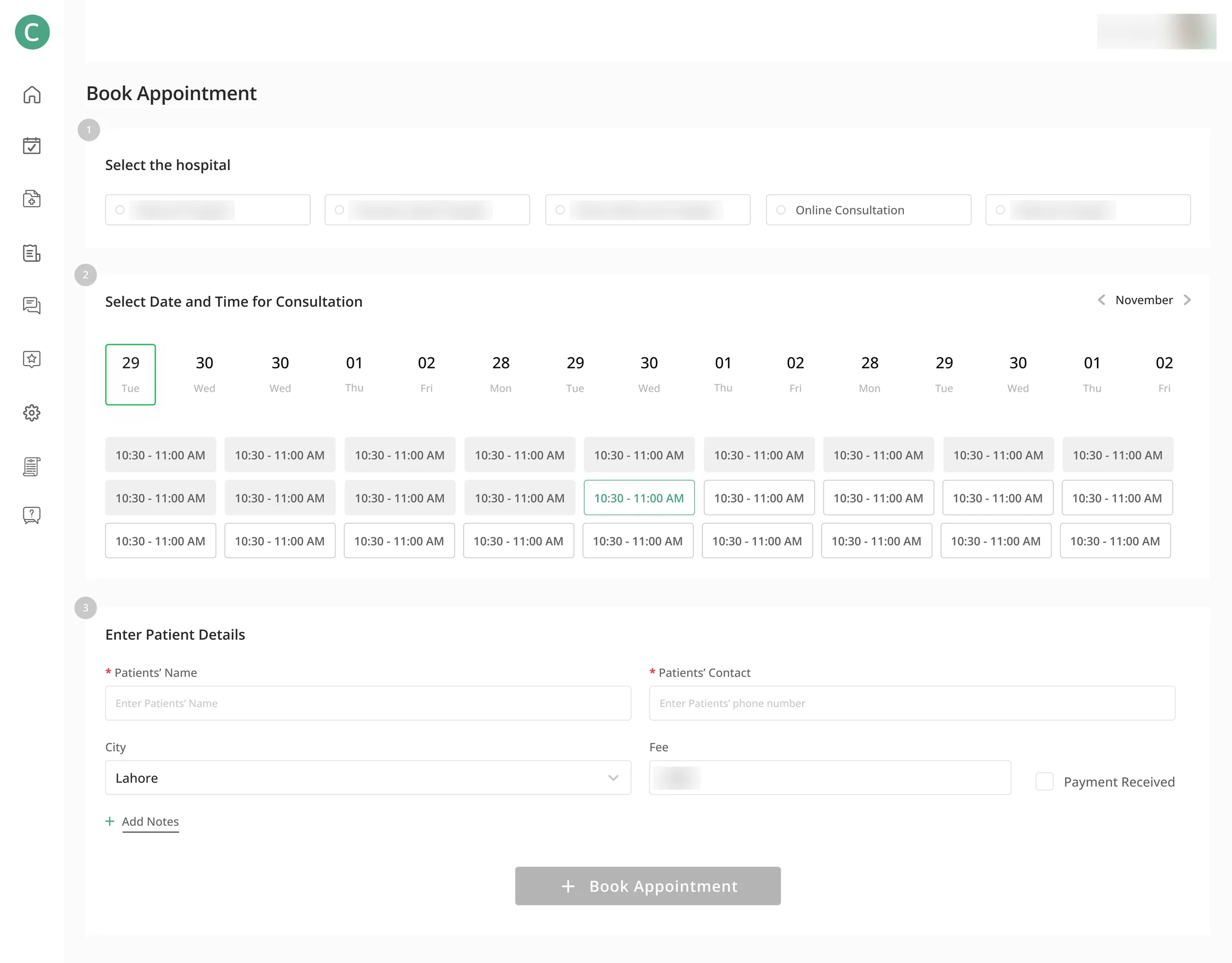
Book Appointment in three steps: 1, select the hospital, including Online Consultation; 2, select date and time; 3, enter patient details, city, fee and Payment Received. Hospital names, the fee and the doctor's name are blurred.
Booking: pick the hospital or online, then a time, then the patient.
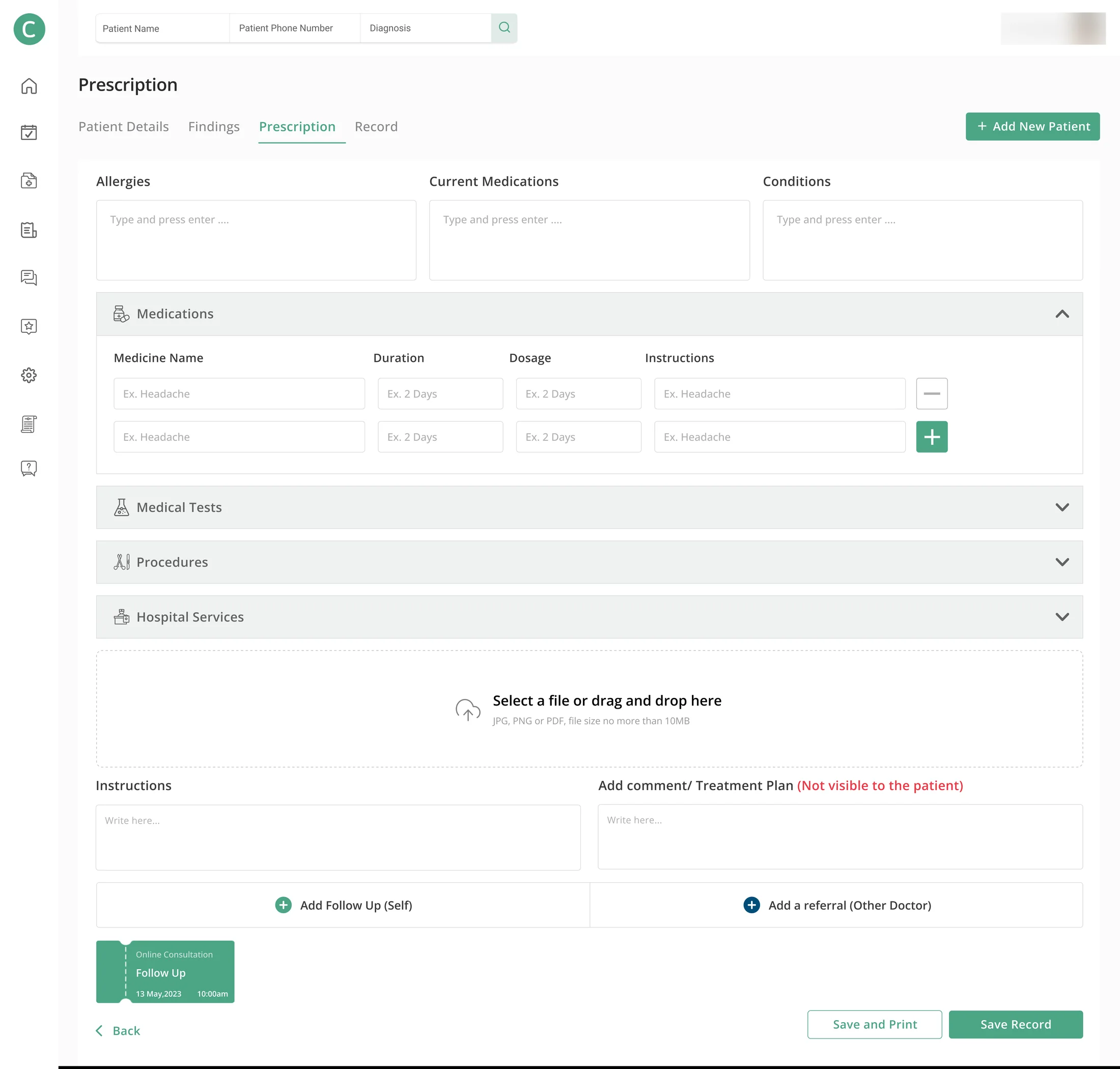
The Prescription tab, between Patient Details, Findings and Record: allergies, current medications and conditions, a medications table, medical tests, procedures, hospital services, a file upload, instructions, a treatment plan marked Not visible to the patient, and Add Follow Up or Add a referral to another doctor. The form is empty. The doctor's name is blurred.
Prescriptions, with a private note the patient never sees.

What the PMS does

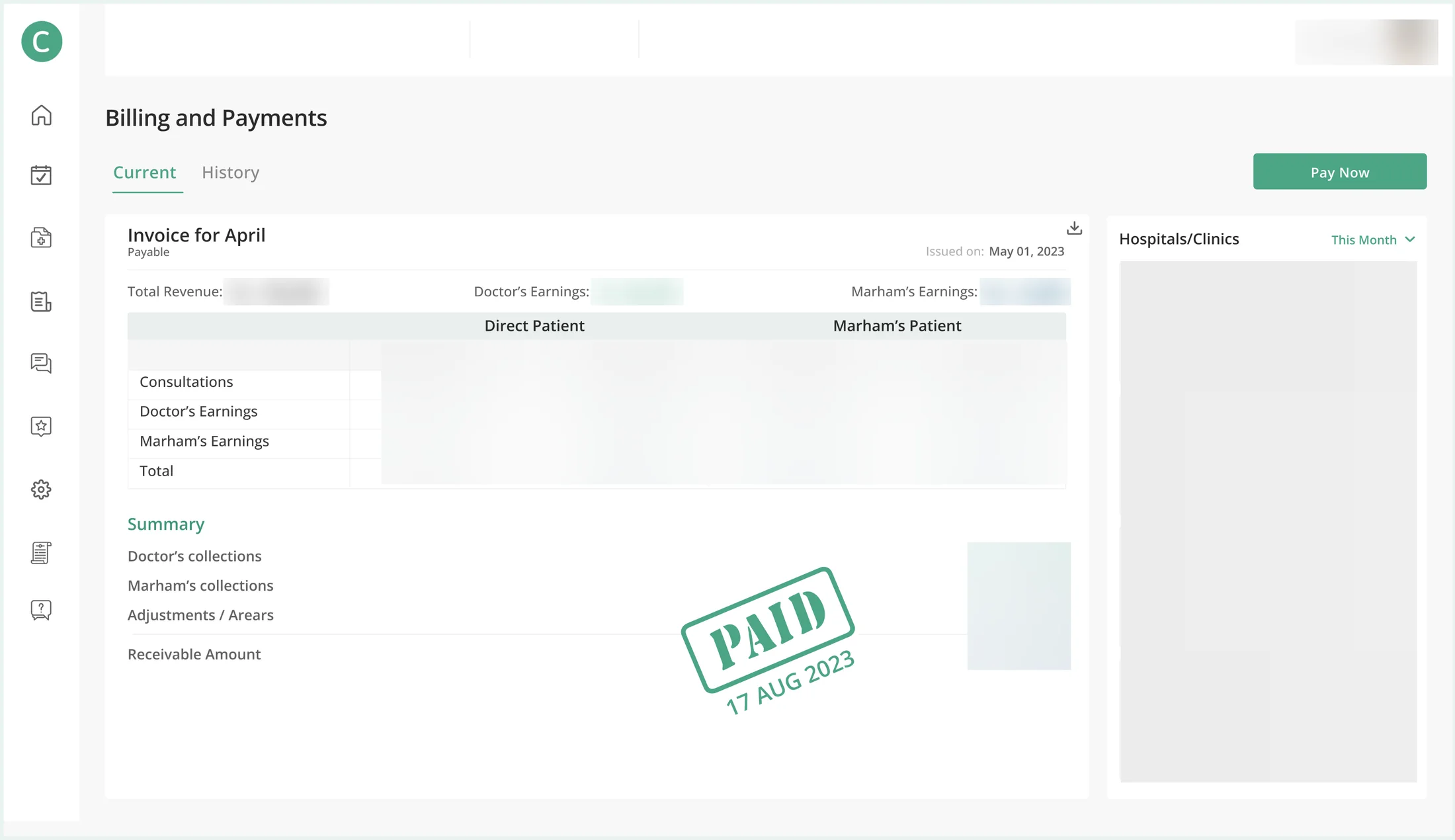
  • Consultations: the doctor's own and Marham-referred, in one place.
  • Appointments across locations, including remote ones.
  • Prescriptions entered and managed quickly.
  • Patient history kept complete over time.
  • Transparent billing with Marham.
Billing and Payments: an invoice for April split into direct patients and Marham's patients, in-clinic and online, with doctor's earnings and Marham's earnings, a summary and a PAID stamp; a column of hospitals and clinics on the right. Every figure, percentage and hospital name is blurred.
Billing for direct and Marham-referred patients.
Where it landed

All of it went live.

Onboarding, Friends & Family and My Doctors, the queue, and the doctor's PMS all shipped. Patient onboarding and Friends & Family contributed to a 30% rise in retention, on a platform with 1M+ active users.

What I learned

Working on live product features let me see the impact of my designs in real time.

Next case studyDesign systems Design System

One system. Every product, every screen.

Read case study